
To start backing up other GMail account in Backupery for GMail you just need do the following:
- Go to C:\Users\<YOUR_USERNAME>\AppDa
ta\Roaming\ and remove the directory BackuperyForGMail: 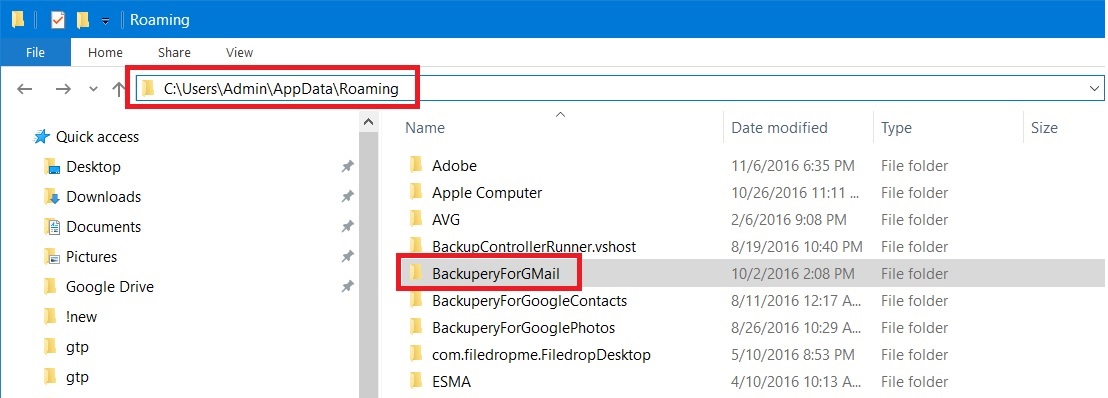
- To start backup press “Run now” button – this starts new backup and displays authorization page again:
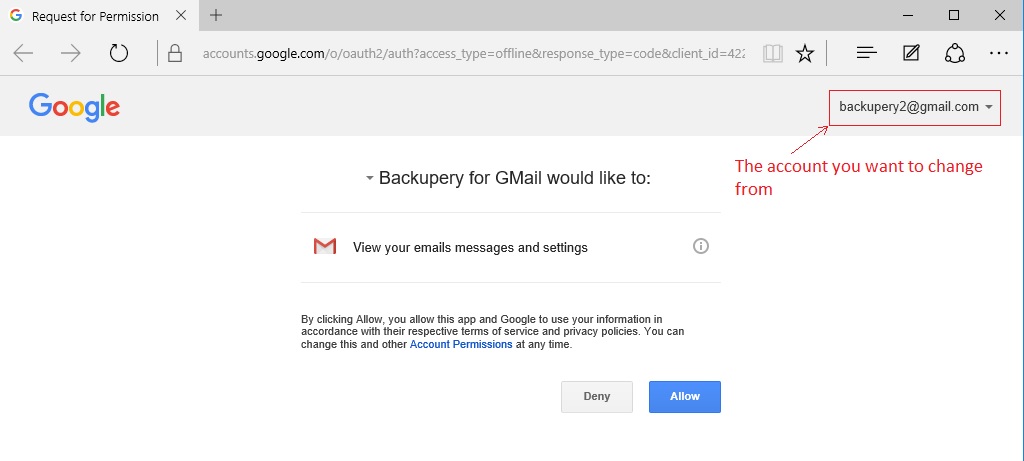
- To change the account you just need to press on the arrow in the top right corner of the page:
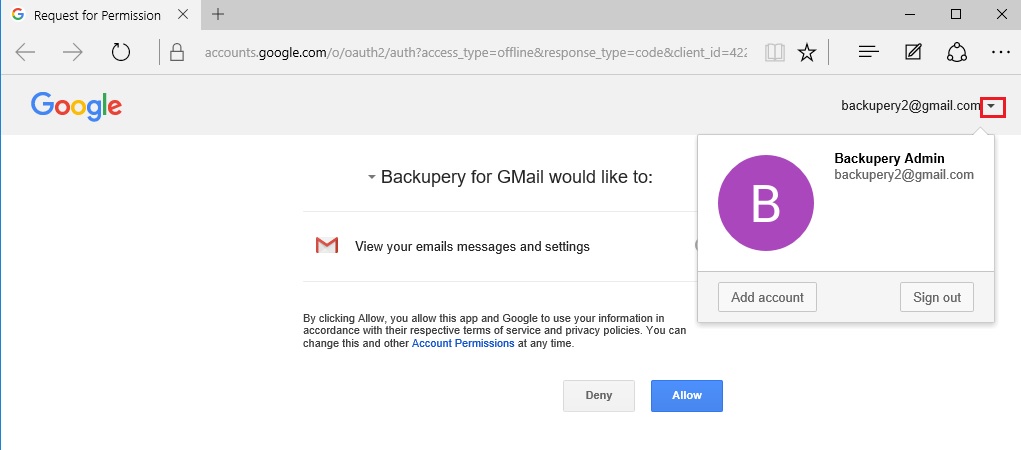
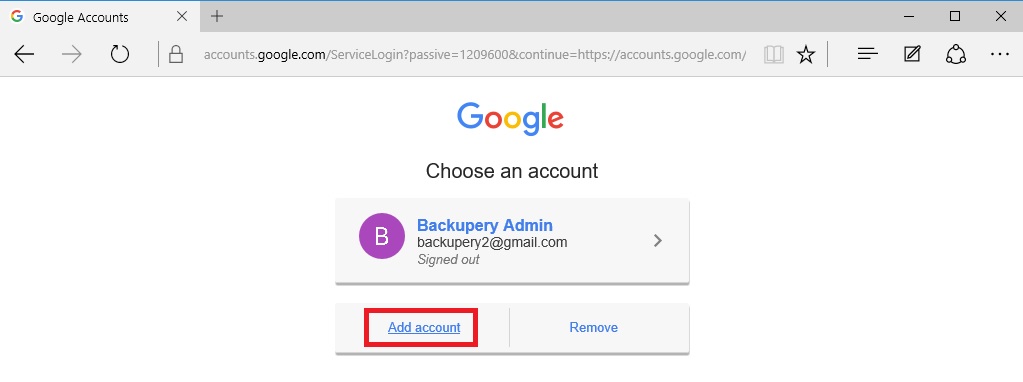
- then press “Add account”:
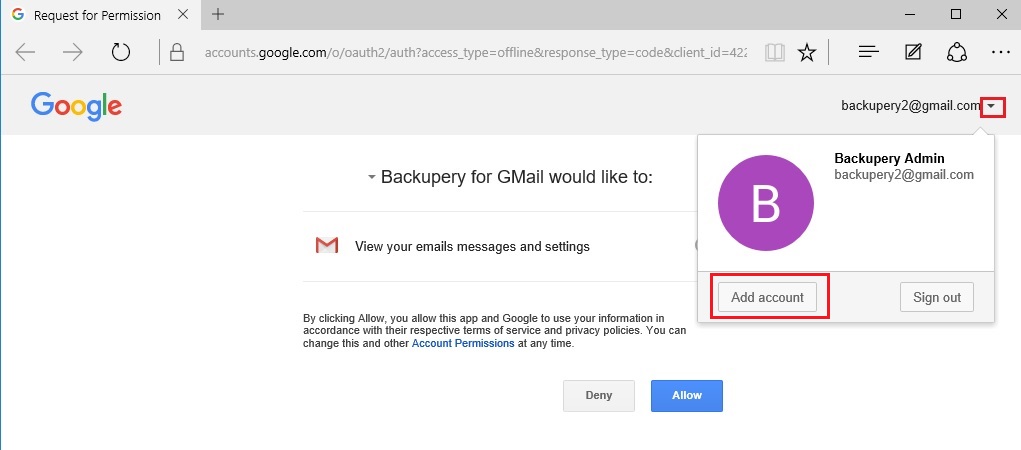
- then press “Add account” again:
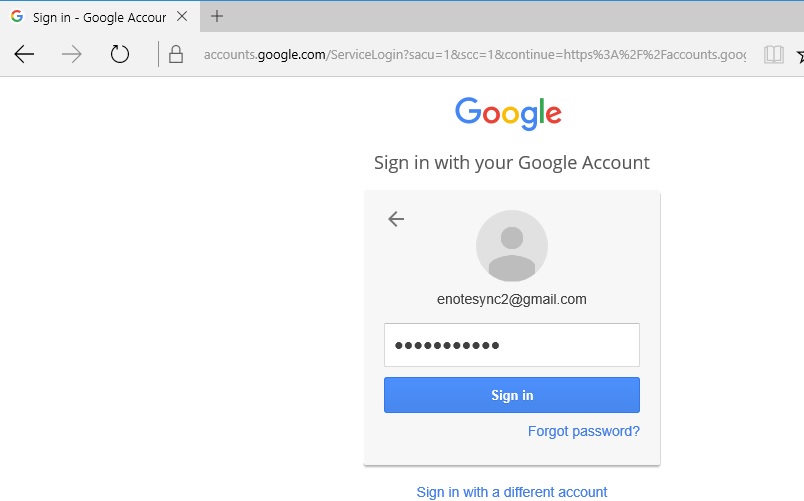
- input credentials from the account you wish switch to:
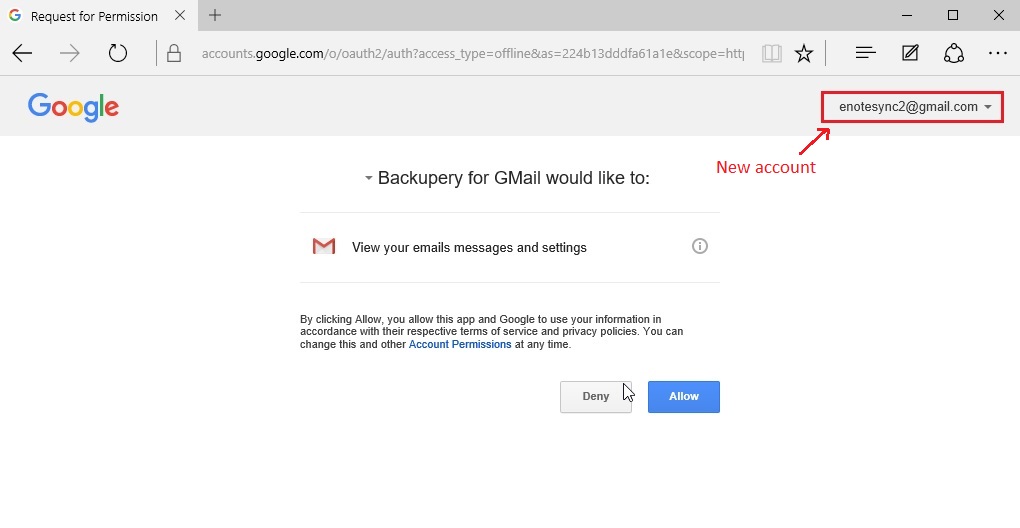
- then press “Sign in” and press “Allow” to allow Backupery for GMail access emails from the new account:
That’s it! If you have any questions, just contact us: https://www.backupery.com/contact-us/